UART interface
UART is an asynchronous serial interface for data transfer that is used in many devices. For example, GPS antennas, Wi-Fi routers, or Pixhawk.
The interface usually contains two lines: TX for data transmission, and RX for data reception. It usually uses the 5-volt logics.
To connect two devices, you have to feed the TX line of the first device to the RX line of the other one. A similar manipulation is required on the other end for ensuring two-way data transmission.
It is also necessary to synchronize the voltages – connect the ground on two devices.
Read more about the interface and the Protocol in this article.
Linux TTY
In Linux, there is the concept of POSIX Terminal Interface (read more here. It is an abstraction over the serial or virtual interface that allows several agents to work with the device simultaneously.
An example of such abstraction in Raspbian may be /dev/tty1 – the device for text output to the screen connected via HDMI.
Configuration of UART on Raspberry Pi
To configure UART, there are directives located in /boot/config.txt.
To enable the UART interface on GPIO:
enable_uart=1
Default image configuration
In the Clover image for RPi, we initially disabled Mini UART and the Bluetooth module.
Bugs
If you use the Mini UART connection to Bluetooth, hciuart crashes with the following error:
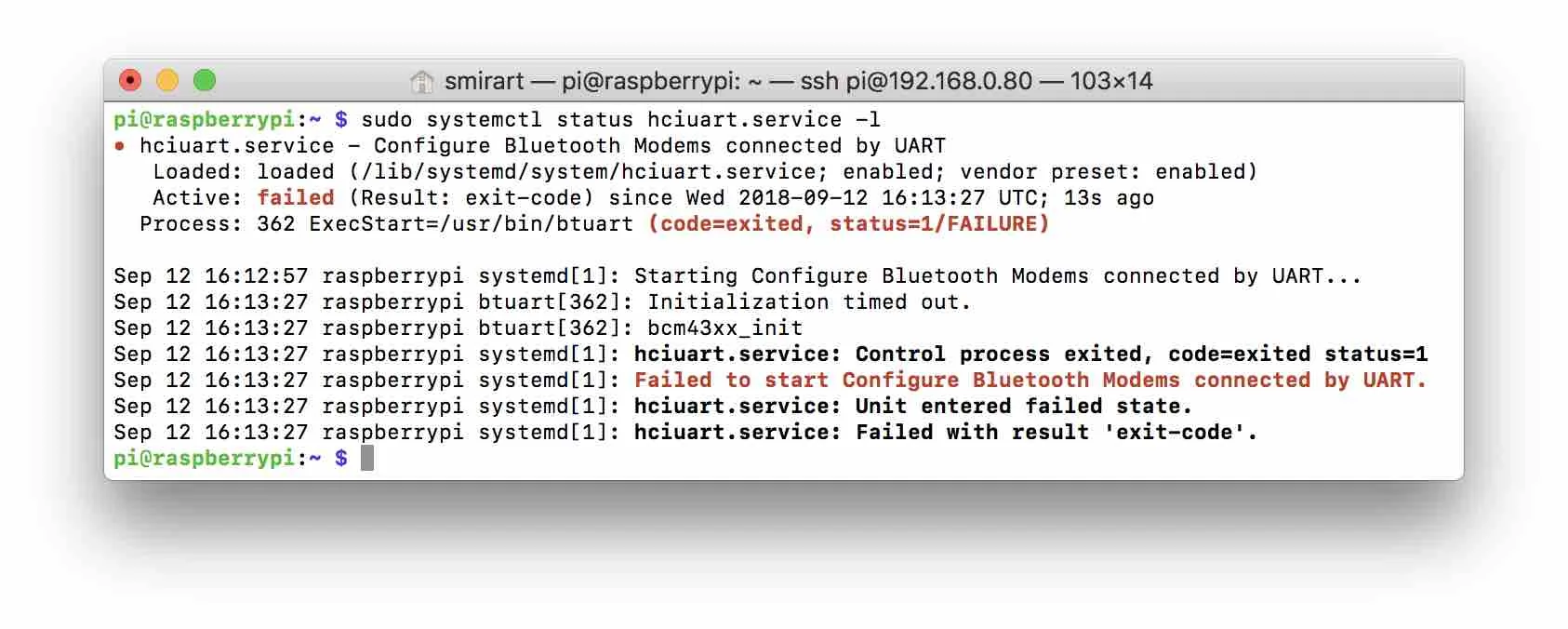
In case of Bluetooth disconnection
/dev/serial0 -\> ttyAMA0
/dev/serial1 -\> ttyS0