Power setup
To calibrate power-related parameters, go to the Vehicle Setup tab and select the Power menu.
Voltage divider calibration
Voltage divider calibration should be performed with the battery connected.
- In QGroundControl, go to the Vehicle Setup panel and select the Power menu.
- Set the Number of cells parameter according to the number of cells in the battery (4S for Clover 4 or 6S for Clover 5).
- Calibrate the voltage divider:
- Connect a voltage indicator to the battery's balance connector.
- Press the Calculate button next to the Voltage Divider label.
- Enter the total voltage value from the voltage indicator.
- Press Close to save the calculated value.
If there is no voltage indicator or manual calibration is not possible, set the average voltage divider value for the Clover 4 kit (Voltage divider = 11), for the Clover 5 kit (Voltage divider = 21).
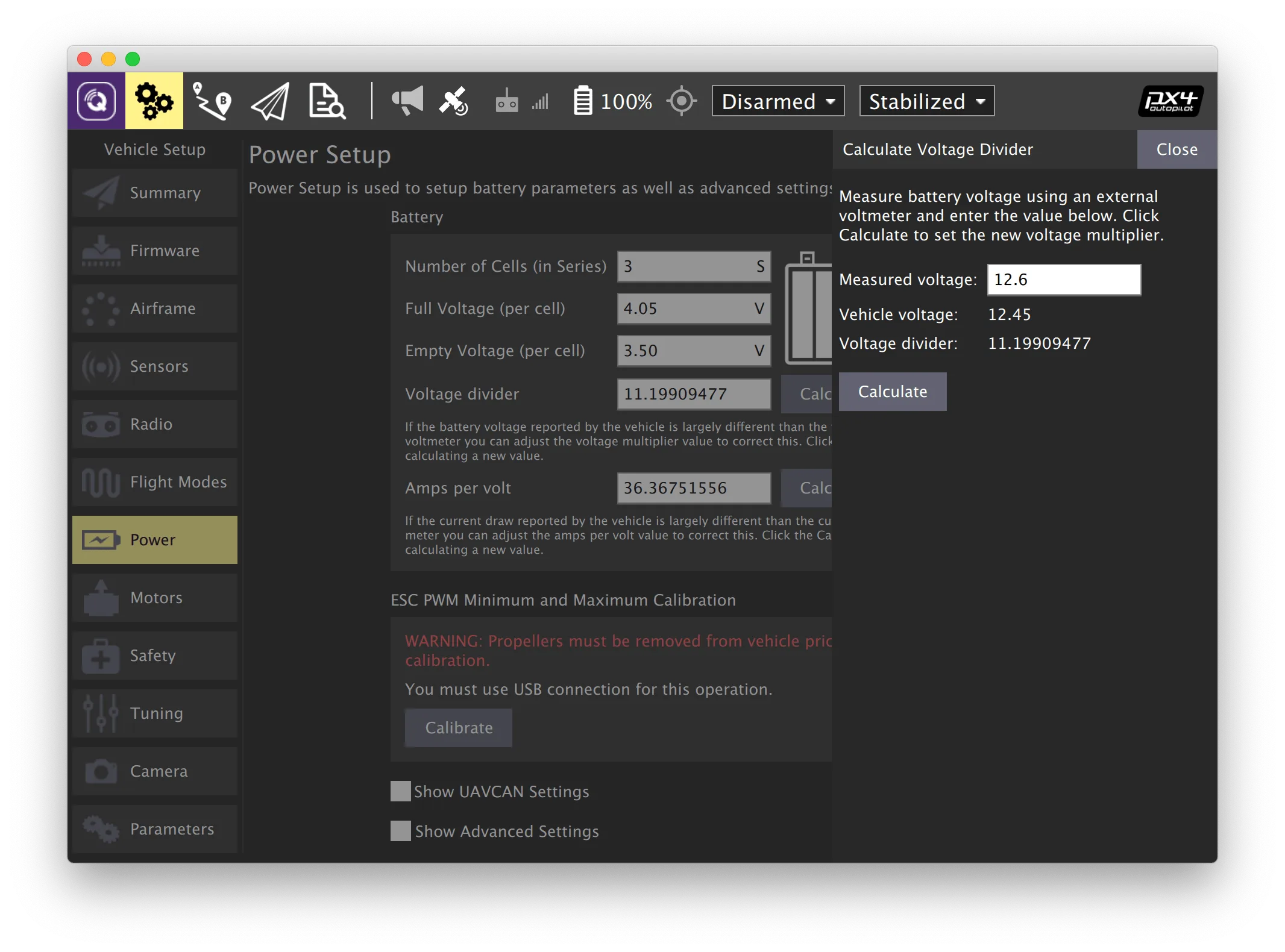
Additional information: https://docs.qgroundcontrol.com/en/SetupView/Power.html.
Next: Failsafe setup.