Working with Magnetic Gripper
Contents
- Module Assembly and Installation
- Testing the Setup
- Controlling the Magnetic Gripper via RC Transmitter
Module Assembly and Installation
Solder the magnetic gripper module according to the wiring diagram. The wire ends should have Dupont female connectors (wire length ~10-15cm).
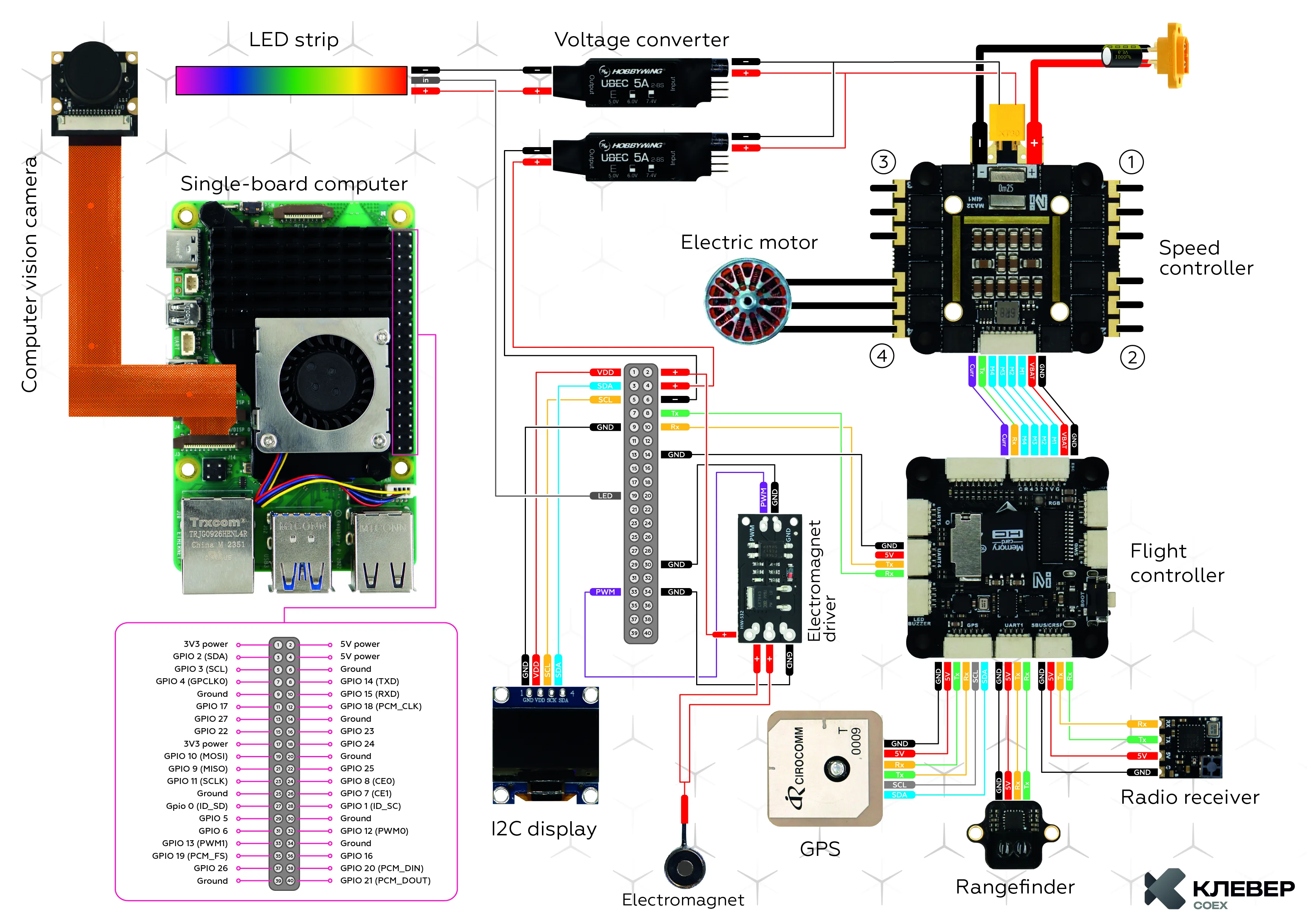 Electronics wiring diagram
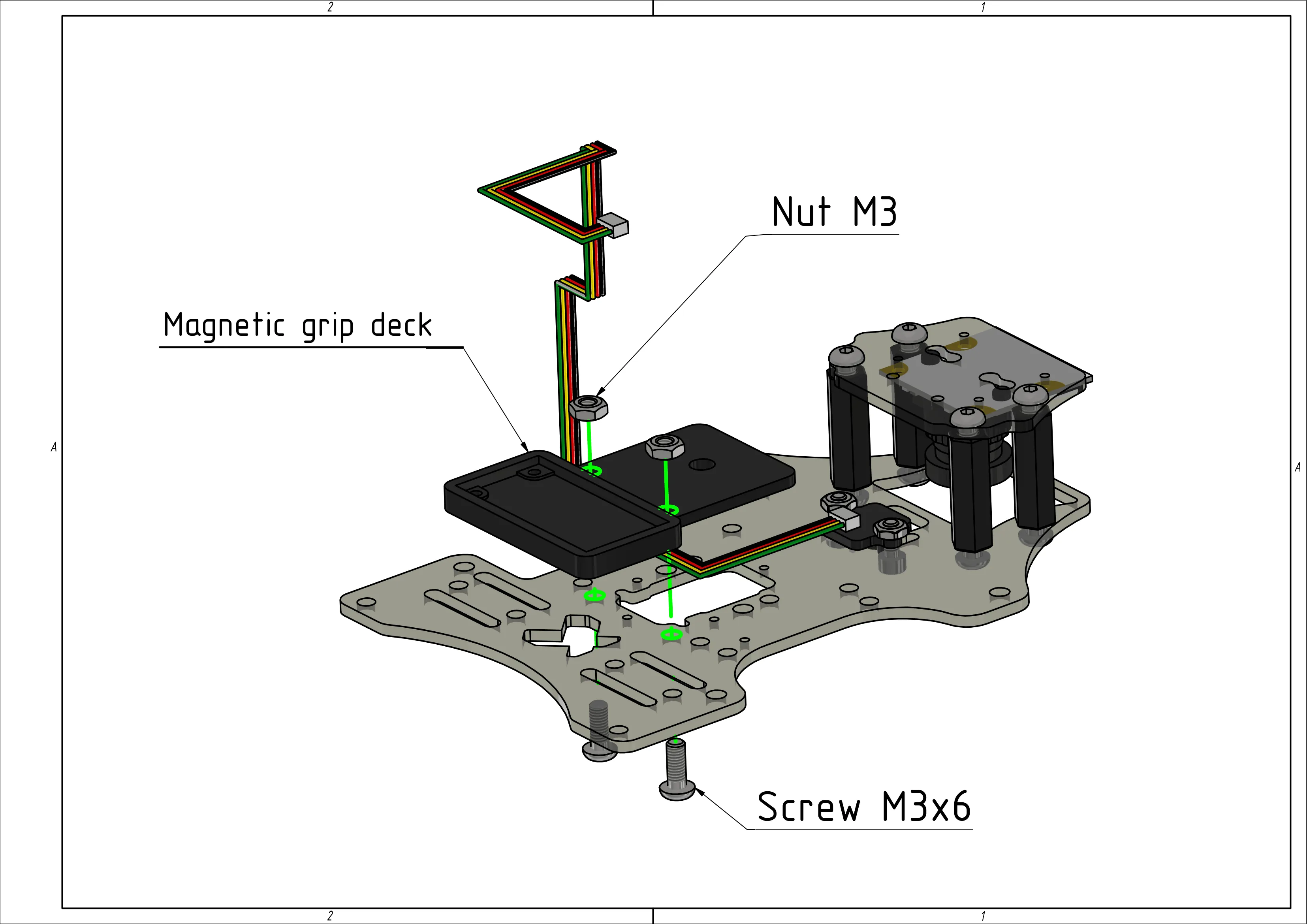
Mount the magnetic gripper deck using M3x6 screws and M3 nuts.
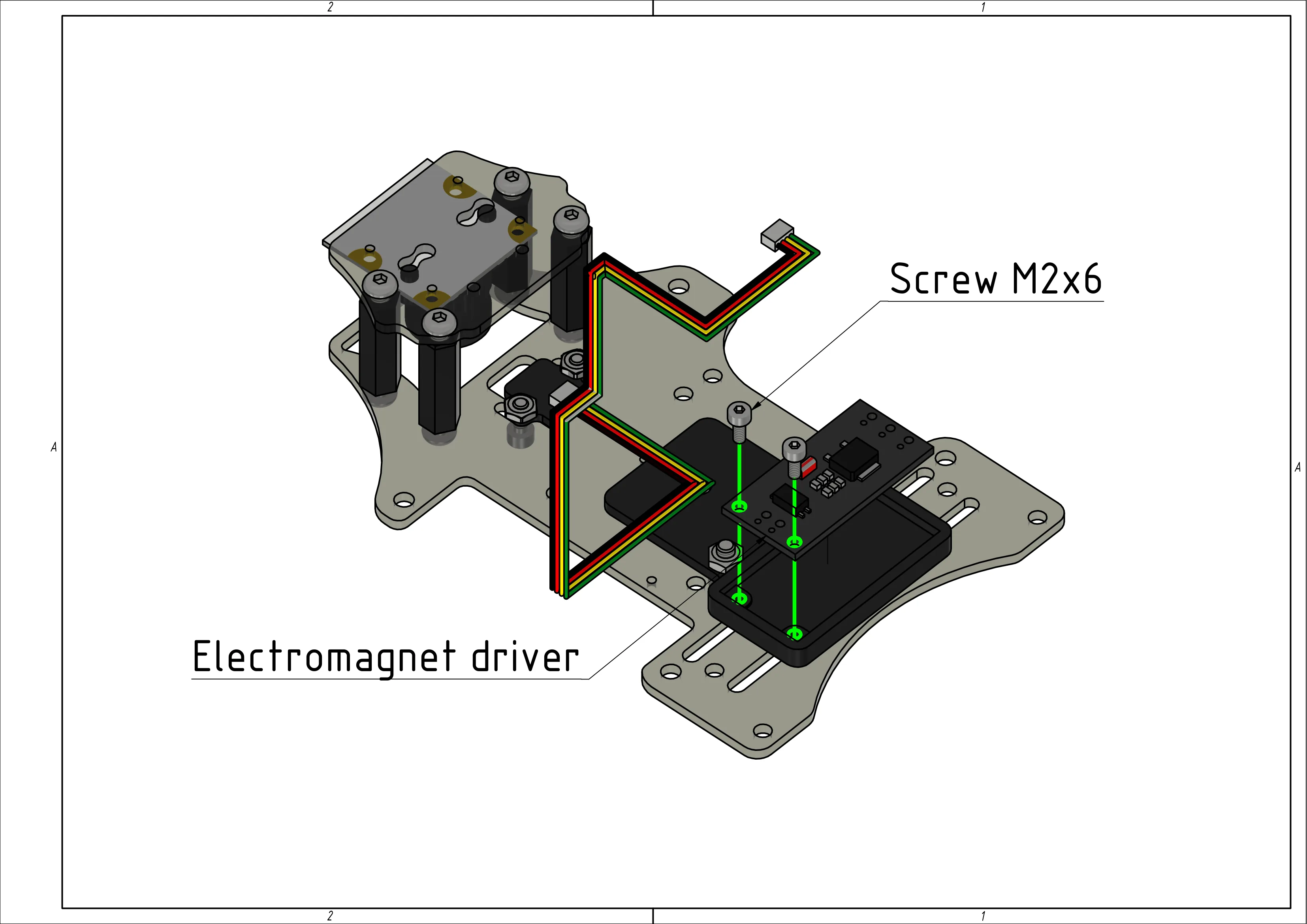
Install the electromagnet module onto the gripper deck using M2x6 screws.
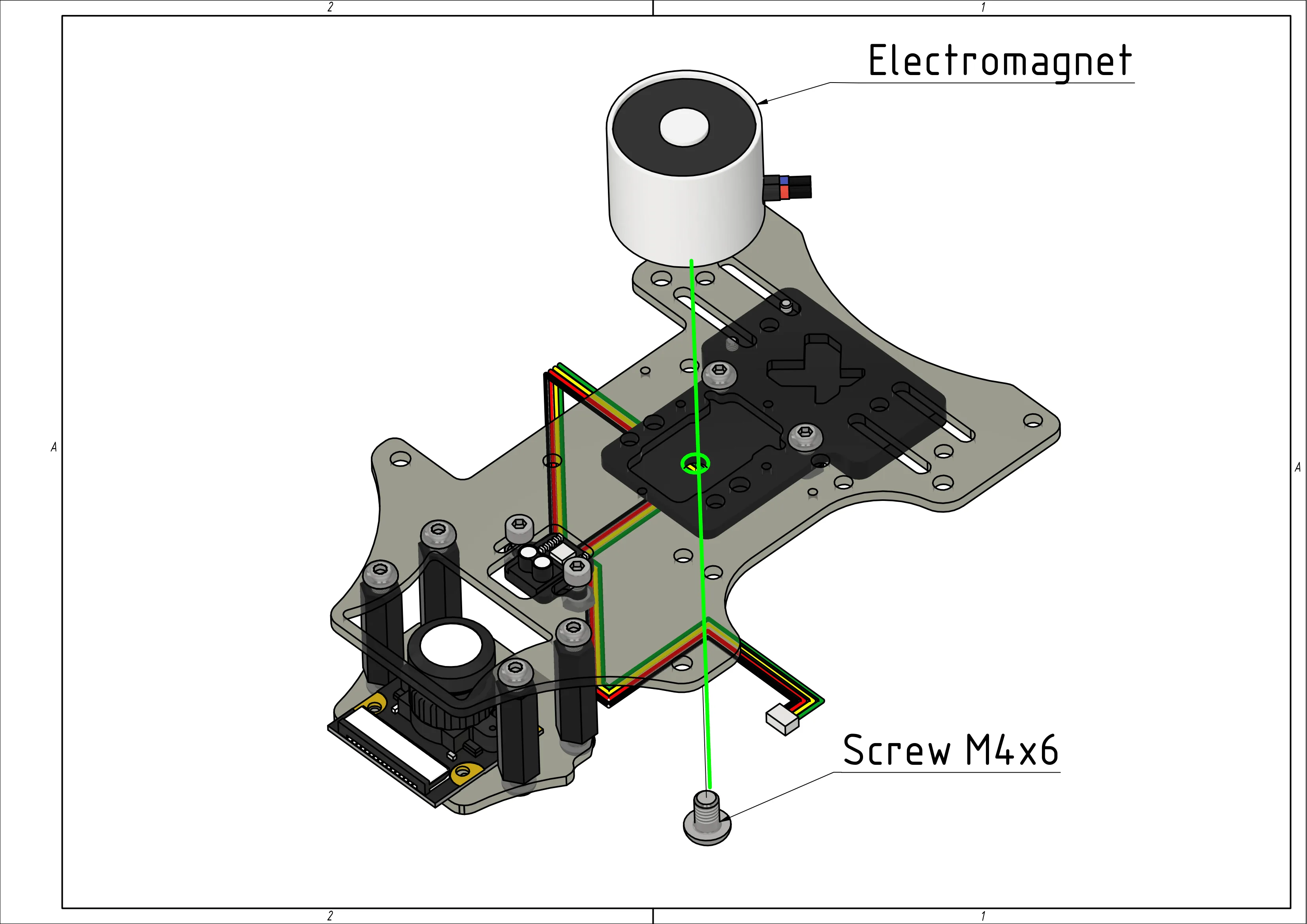
Attach the electromagnet to the gripper deck using an M4x6 screw.
Assembled magnetic gripper.
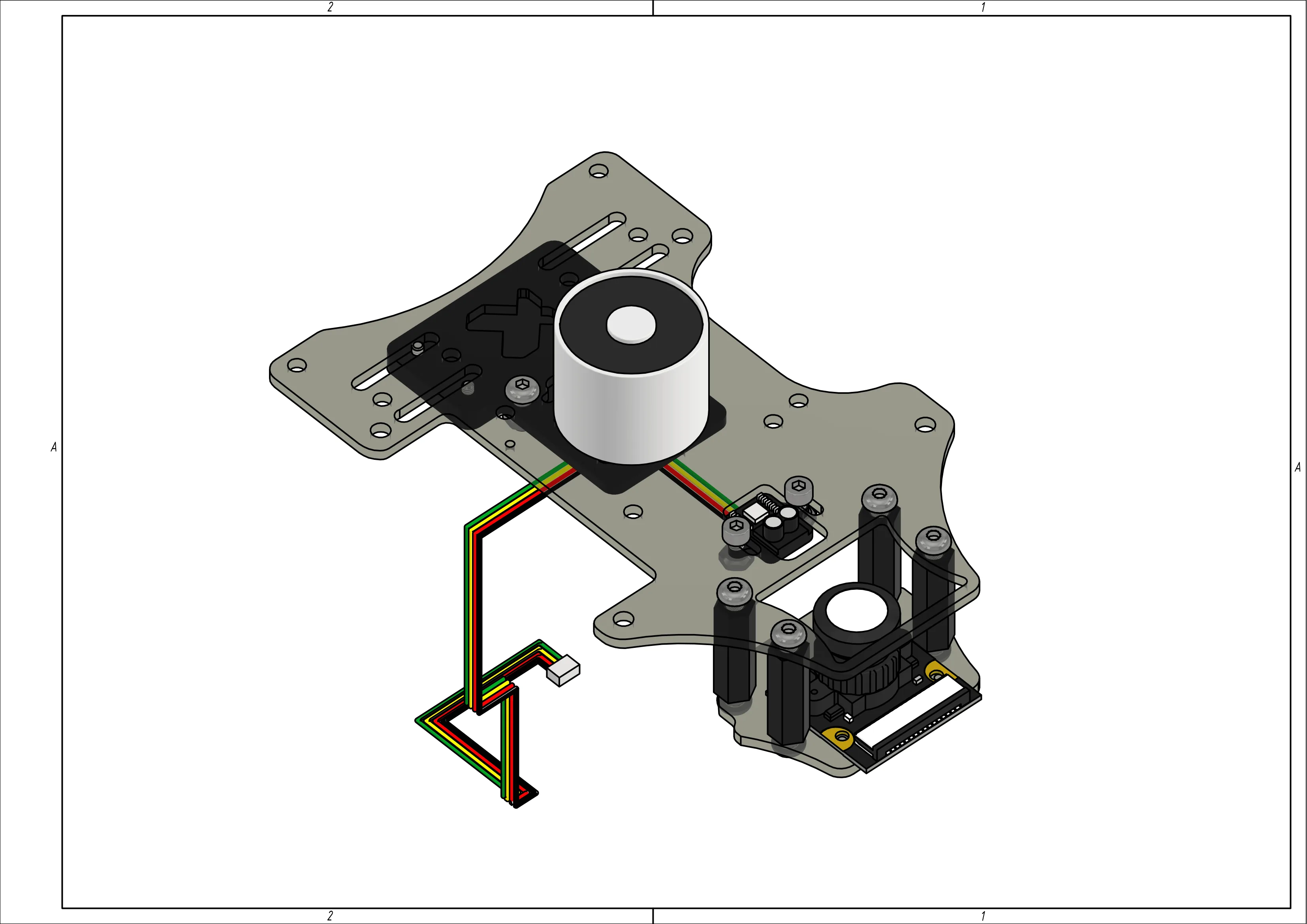
Connect the magnetic gripper to Raspberry Pi according to the electronics wiring diagram (see step 1).
Testing the Setup
Upload the sample code to test the magnetic gripper functionality.
from rpi_hardware_pwm import HardwarePWM
import time


# pwmchip0, channel 1
pwm = HardwarePWM(pwm_channel=1, hz=50, chip=0)


def control_magnet(on_time=2, off_time=2):
    try:
        pwm.start(0)
        while True:
            print("ON")
            pwm.change_duty_cycle(100)
            time.sleep(on_time)
            print("OFF")
            pwm.change_duty_cycle(0)
            time.sleep(off_time)
    finally:
        pwm.stop()


if __name__ == "__main__":
    control_magnet(on_time=2, off_time=2)
Controlling the Magnetic Gripper via RC Transmitter
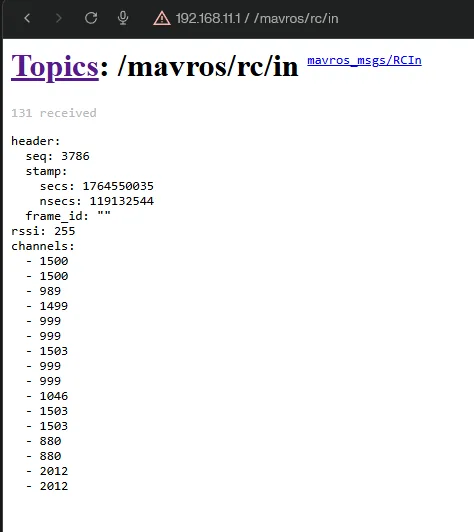
Reading RC Channel Values
For MAVROS topics documentation, see the link.
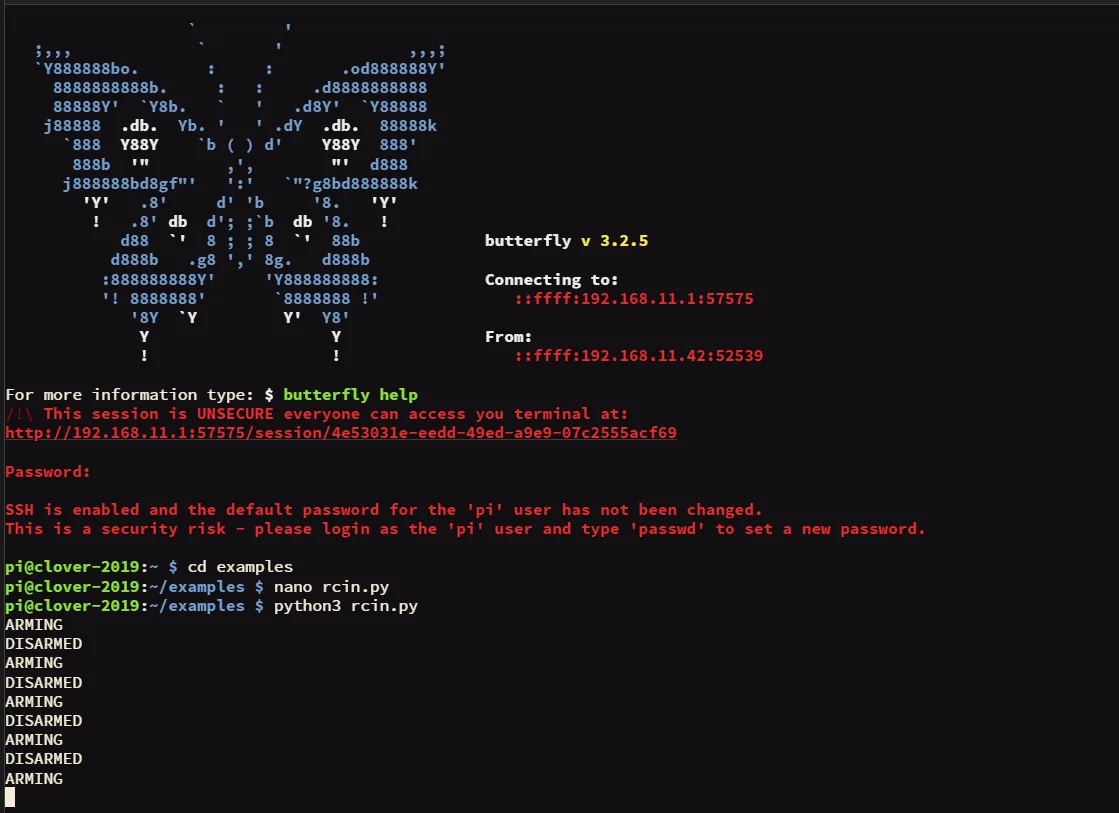
Sample code for reading channel values when toggling a switch:
import rospy
from mavros_msgs.msg import RCIn


last_state = None


def rc_callback(data: RCIn):
    global last_state

    if len(data.channels) <= 6:
        return

    ch = data.channels[6]

    if ch < 1000:
        state = 'ARMING'
    elif ch > 1900:
        state = 'DISARMED'
    else:
        state = None

    if state is not None and state != last_state:
        print(state)
        last_state = state


def main():
    rospy.init_node('rc_reader')
    rospy.Subscriber('mavros/rc/in', RCIn, rc_callback)
    rospy.spin()


if __name__ == '__main__':
    main()
Example output in topic and terminal:
Magnetic Gripper Control Code Examples
Sample code for controlling the magnetic gripper via RC transmitter:
import rospy
from mavros_msgs.msg import RCIn
from rpi_hardware_pwm import HardwarePWM


pwm = None
magnet_on = False


def rc_callback(data: RCIn):
    global magnet_on

    if 6 >= len(data.channels):
        return

    ch = data.channels[6]

    if ch < 1000 and magnet_on:
        rospy.loginfo("OFF")
        pwm.change_duty_cycle(0)
        magnet_on = False
    elif ch > 1900 and not magnet_on:
        rospy.loginfo("ON")
        pwm.change_duty_cycle(100)
        magnet_on = True


def main():
    global pwm

    rospy.init_node('magnet_rc')
    pwm = HardwarePWM(pwm_channel=1, hz=50, chip=0)
    pwm.start(0)
    rospy.Subscriber('mavros/rc/in', RCIn, rc_callback)
    rospy.loginfo("magnet_rc start")
    rospy.spin()
    pwm.stop()


if __name__ == '__main__':
    main()
Sample code for smooth payload pickup using a servo:
import rospy
from mavros_msgs.msg import RCIn
from rpi_hardware_pwm import HardwarePWM

pwm = None

S1_INDEX = 8

RC_MIN = 1000
RC_MAX = 2000

ANGLE_MIN = 0.0
ANGLE_MAX = 90.0

DUTY_MIN = 3
DUTY_MAX = 12

def rc_callback(msg: RCIn):
    if len(msg.channels) <= S1_INDEX:
        return

    ch = msg.channels[S1_INDEX]

    if ch < RC_MIN:
        ch = RC_MIN
    elif ch > RC_MAX:
        ch = RC_MAX

    k = float(ch - RC_MIN) / float(RC_MAX - RC_MIN)

    angle = ANGLE_MIN + (ANGLE_MAX - ANGLE_MIN) * k

    duty = DUTY_MIN + (DUTY_MAX - DUTY_MIN) * (angle / ANGLE_MAX)

    pwm.change_duty_cycle(duty)

def main():
    global pwm

    rospy.init_node('servo_from_slider')

    pwm = HardwarePWM(pwm_channel=1, hz=50, chip=0)
    pwm.start(DUTY_MIN)

    rospy.Subscriber('mavros/rc/in', RCIn, rc_callback)
    rospy.loginfo('servo_from_slider start')
    rospy.spin()

    pwm.stop()

if __name__ == '__main__':
    main()